A Game Changer for SOC Efficiency. In this 9th blog post, I will explain what Sentinel Integration to XDR is, how it works, and why it is a game changer for SOC efficiency. I will also share my recommendations on how to get started with Sentinel Integration to XDR and what benefits you can expect from it.
Security operations centers (SOCs) are facing unprecedented challenges in today's threat landscape. Cyberattacks are becoming more sophisticated, frequent, and costly, while the volume and complexity of data are overwhelming the existing tools and processes. SOCs need to evolve and adapt to keep up with the pace and scale of the threats, but how?
One of the key solutions is to integrate security information and event management (SIEM) and extended detection and response (XDR) capabilities. SIEM and XDR are complementary technologies that can enhance each other's strengths and address each other's limitations. SIEM provides a centralized platform for collecting, analyzing, and correlating data from various sources, while XDR offers a unified view of the endpoints, network, cloud, and identity across the kill chain. By integrating SIEM and XDR, SOCs can achieve greater visibility, faster detection, and more efficient response to cyber incidents.
In this blog post, I will explain what Sentinel Integration to XDR is, how it works, and why it is a game changer for SOC efficiency. I will also share my recommendations on how to get started with Sentinel Integration to XDR and what benefits you can expect from it.
What is Sentinel Integration to XDR
Sentinel Integration to XDR is a feature that enables you to access and use Microsoft Sentinel, the cloud-native SIEM solution from Microsoft, in the Microsoft Defender portal, the unified console for Microsoft Defender for Endpoint, Microsoft Defender for Identity, and Microsoft Cloud App Security. Sentinel Integration to XDR allows you to leverage the power of Sentinel's data collection, analytics, and automation capabilities within the context of XDR's rich telemetry, threat intelligence, and investigation tools.
With Sentinel Integration to XDR, you can:
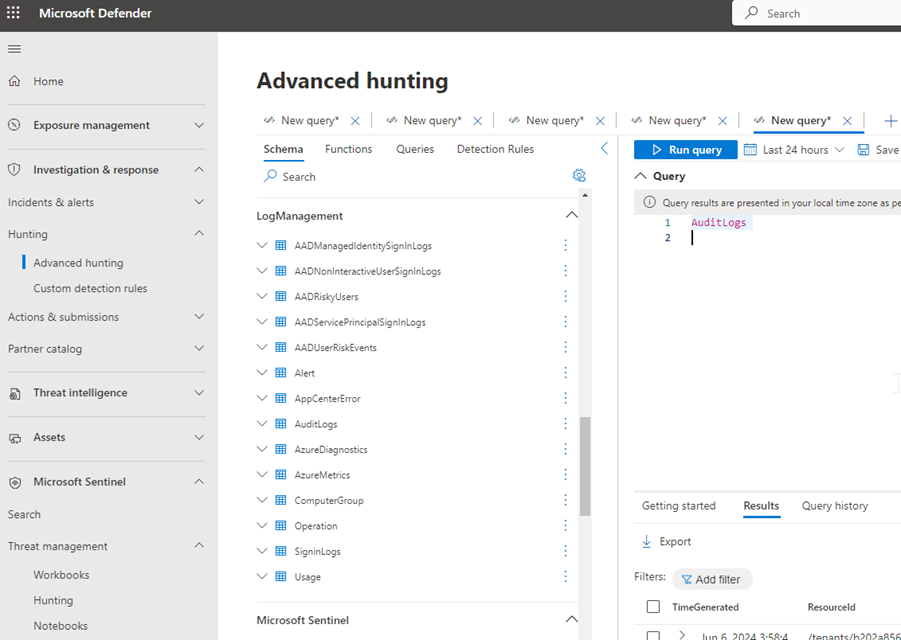
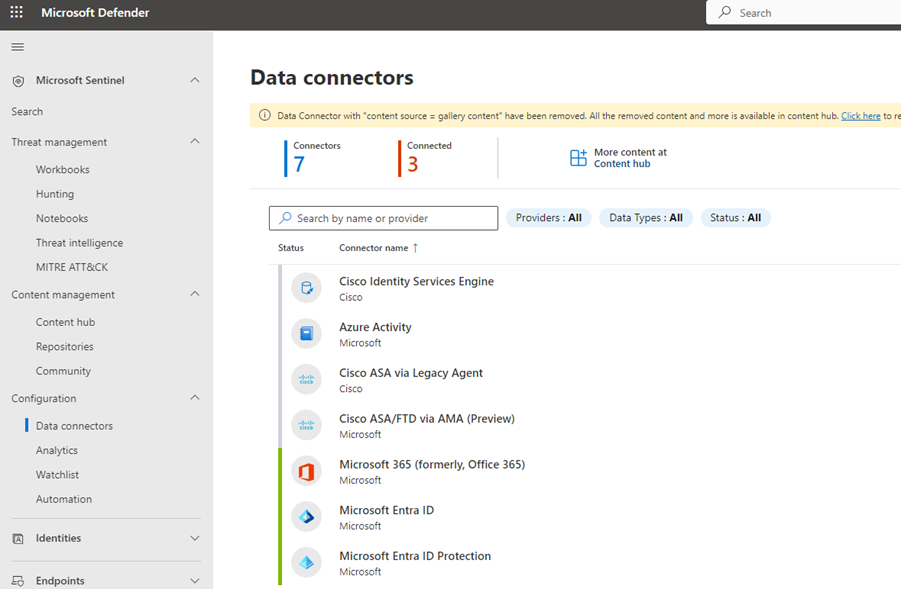
Collect and ingest data from over 100 connectors, including Microsoft and third-party sources, into Sentinel and use it in Defender portal.
Apply Sentinel's advanced analytics, such as machine learning, user and entity behavior analytics (UEBA), and threat hunting, to the data and generate alerts and incidents in Defender portal.
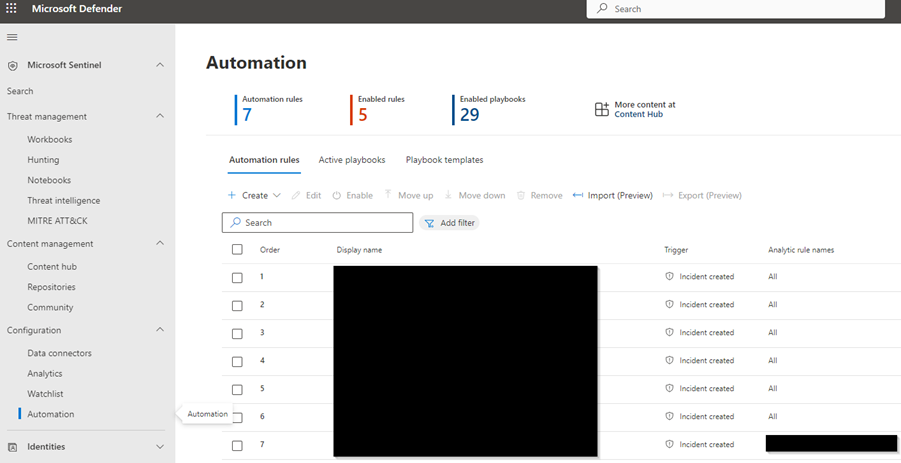
Use Sentinel's automation features, such as playbooks, notebooks, and watchlists, to streamline and orchestrate your response actions in Defender portal.
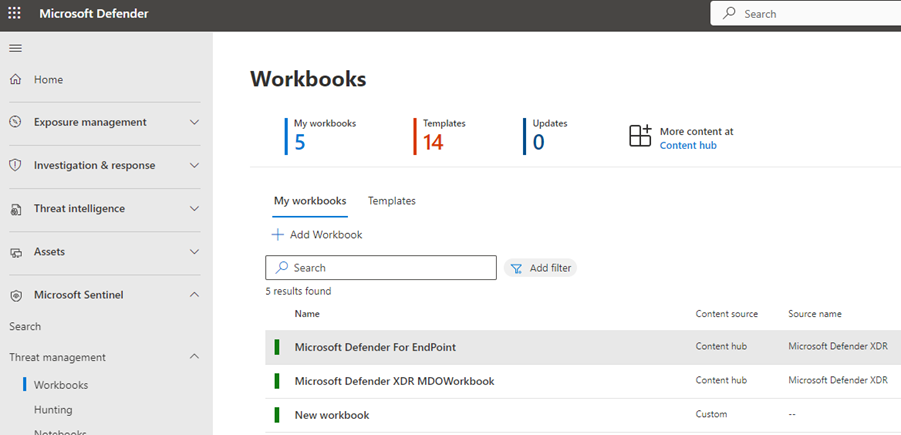
Access Sentinel's dashboards, workbooks, and reports to visualize and monitor your security posture and performance in Defender portal.
Switch seamlessly between Sentinel and Defender portal without losing context or data.
How to Setup the Sentinel Integration to XDR
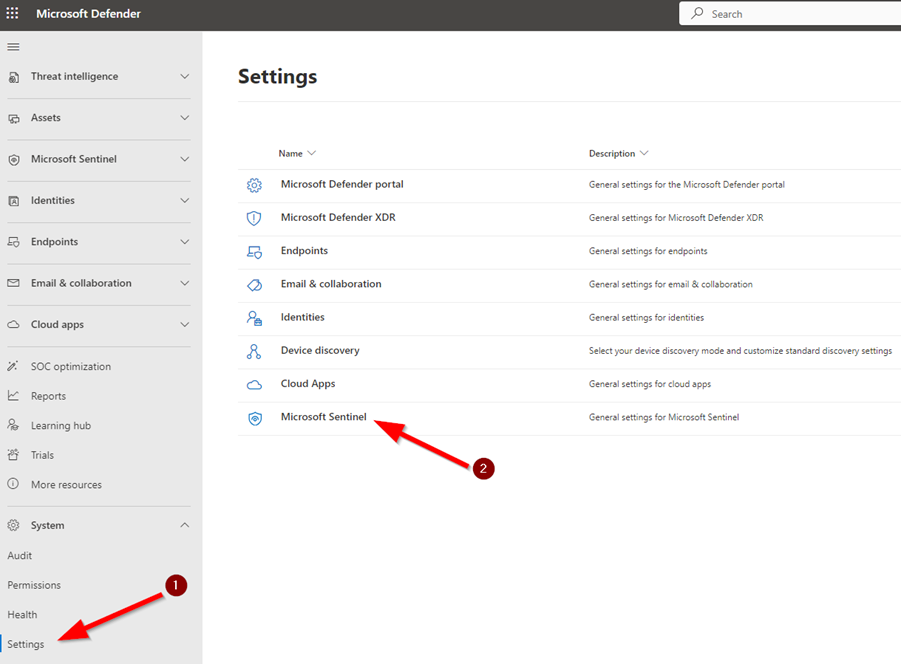
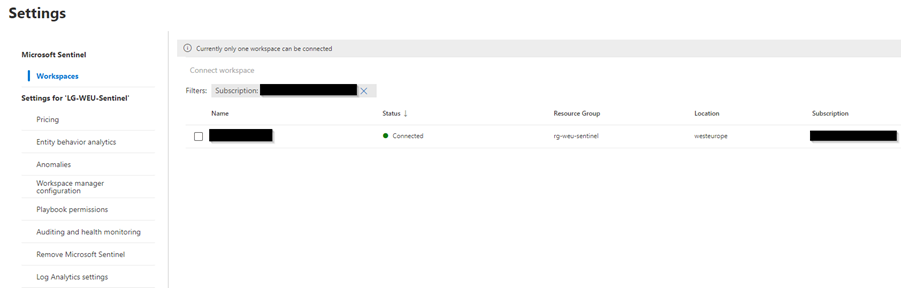
To set up the Sentinel Integration to XDR, you need to connect a Log Analytics workspace that has Sentinel enabled to your Defender portal tenant. This will allow you to access Sentinel's features and data from the Defender portal and unify your security operations across SIEM and XDR. Follow these steps to connect your workspace and explore the benefits of Sentinel Integration to XDR.
Sentinel Integration to XDR enables you to leverage Sentinel's capabilities and data within the Defender portal, enhancing your security operations with a unified SIEM and XDR platform. You can connect a Sentinel-enabled workspace to your Defender portal tenant and start using Sentinel's dashboards, workbooks, advanced hunting, automation, and more. Here's how to connect your workspace and get started with Sentinel Integration to XDR.
By connecting a Sentinel-enabled workspace to your Defender portal tenant, you can access Sentinel's features and data from the Defender portal and benefit from a unified security operations platform that combines SIEM and XDR. Sentinel Integration to XDR lets you use Sentinel's dashboards, workbooks, advanced hunting, automation, and other capabilities within the Defender portal and improve your security posture and performance. This is how you can connect your workspace and enjoy the advantages of Sentinel Integration to XDR.
What is the benefit of the integration
Some of the benefits of having the integration from Sentinel to Microsoft XDR are:
You can leverage the powerful SIEM capabilities of Sentinel, such as collecting and analyzing data from various sources, detecting threats with advanced analytics, and responding to incidents with automation and orchestration, within the Defender portal.
You can unify your security operations with a single platform that combines SIEM and XDR, reducing tool switching and increasing efficiency and productivity.
You can enrich your Defender XDR data with additional context and insights from Sentinel's dashboards, workbooks, hunting queries, and notebooks, and vice versa.
You can streamline your incident management and investigation workflows by having a consistent view of incidents and alerts across Sentinel and Defender XDR, and by using the same actions and playbooks to remediate threats.
My recommendations
If you are interested in Sentinel Integration to XDR, here are some of my recommendations on how to get started and make the most of it:
Configure the data connectors that are relevant to your environment and security needs. You can choose from a wide range of connectors, such as Azure Active Directory, Office 365, Azure Security Center, Microsoft 365 Defender, Azure Firewall, and many more. You can also create custom connectors to ingest data from your own sources.
Review the analytics rules that are available in Sentinel and enable the ones that match your detection scenarios. You can also create your own rules using Kusto Query Language (KQL) or the graphical rule builder. You can also import rules from the Microsoft Sentinel GitHub community or other sources.
Explore the automation features that Sentinel offers and use them to enhance your response capabilities. You can create playbooks using Azure Logic Apps to automate common tasks, such as sending notifications, creating tickets, or blocking malicious IPs, disabling user, isolate devices etc. You can also create watchlists to store and manage data that you want to use in your rules, queries, or playbooks.
Check out the dashboards, workbooks, and reports that Sentinel provides and use them to gain insights into your security status and trends. You can also customize them to suit your preferences and needs. You can also create your own dashboards, workbooks, and reports using the Azure Monitor service.
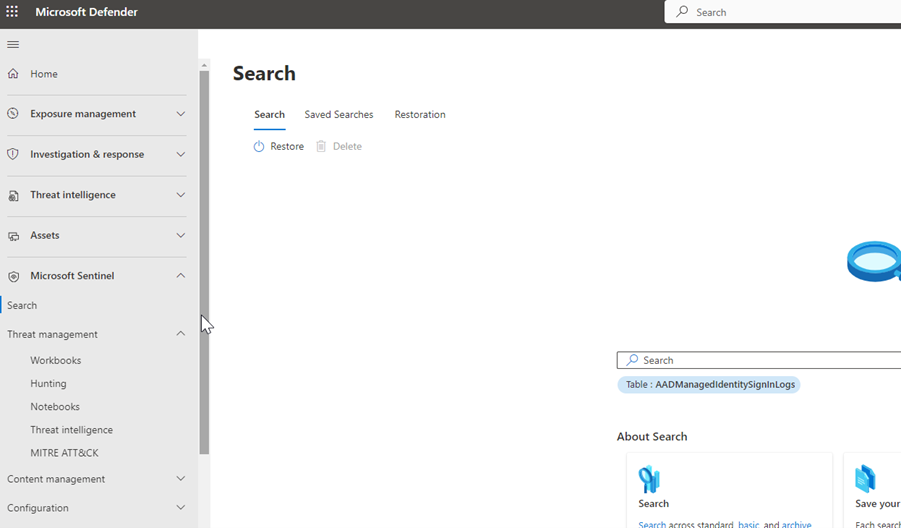
Learn how to switch between Sentinel and Defender portal and use the best of both worlds. You can access Sentinel from the Defender portal by clicking on the Sentinel icon in the navigation bar. You can also use the cross-product search feature to query data from both Sentinel and Defender portal using KQL.
Conclusion
Sentinel Integration to XDR is a feature that can help you experience the next level of SOC efficiency. By integrating Sentinel and Defender portal, you can benefit from the synergy of SIEM and XDR and improve your security operations. You can collect and analyze data from multiple sources, detect and respond to threats faster and better, and visualize and monitor your security posture and performance. You can also switch seamlessly between Sentinel and Defender portal and use the best tool for the job.
I hope you found this blog post useful and informative. Thank you for reading and happy hunting!